What usually goes wrong in a language school
A language school differs from a general education center mainly in the number of groups. Morning, afternoon and evening classes, levels from A1 up to IELTS preparation, part-time teachers — all of it has to fit into one timetable. When it is run in Excel and notebooks, the same problems keep coming back:
- two groups end up in one room, or one teacher is booked for two classes at the same time;
- when a student moves up a level, the old group's history is lost or the debt shows up twice;
- attendance stays on paper and parents never hear about a missed lesson;
- at the start of every month the manager searches by hand for who has paid and who owes;
- teacher pay is worked out on a calculator at month end and leads to arguments.
Level-based groups and the timetable
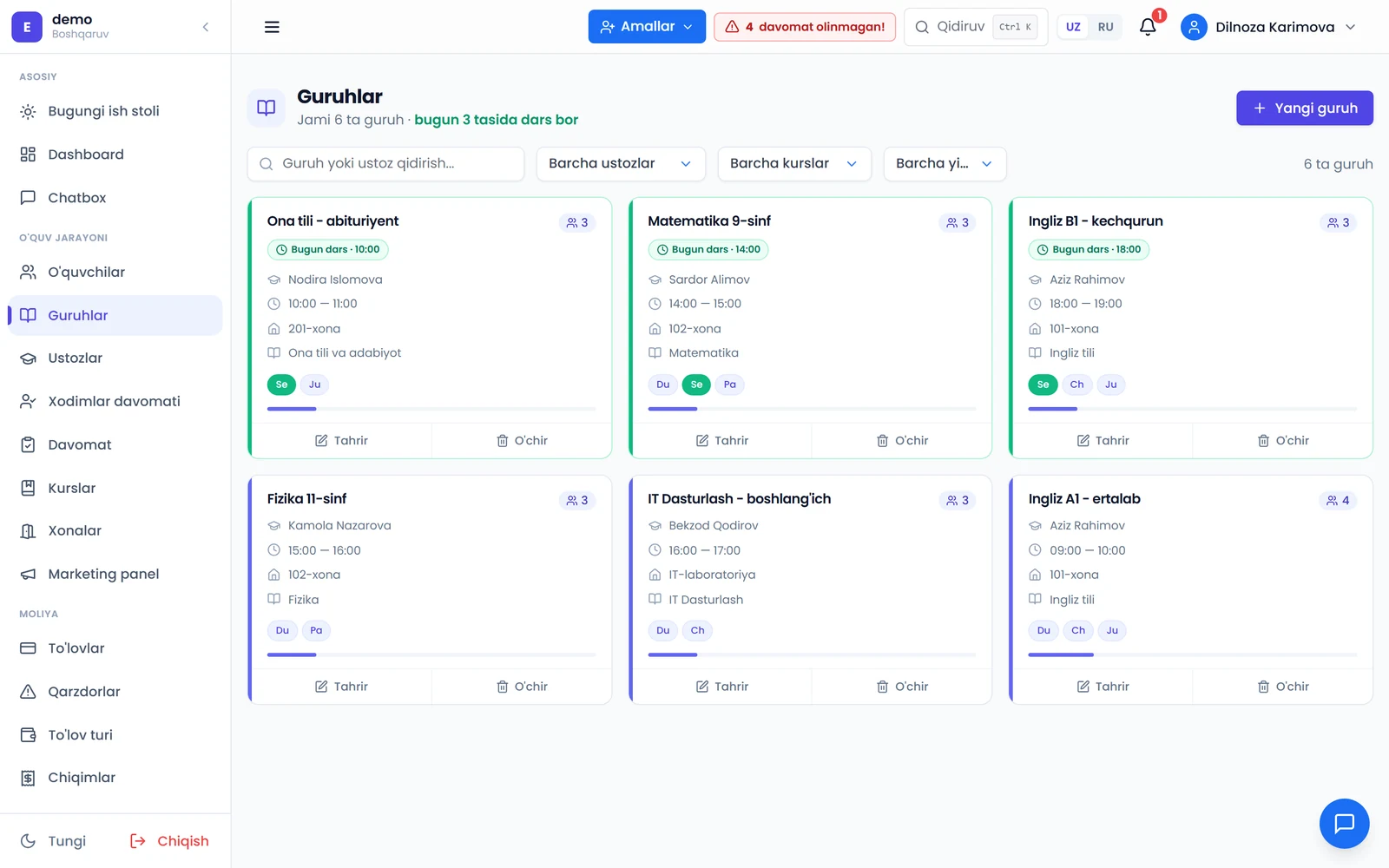
When you open a group you choose the course, teacher, room, weekdays and time. Once you save it, the system writes out every lesson for the length of the course, with dates and lesson numbers. If the room or the teacher is already busy, it tells you which group clashes and refuses to save — the most common mistake in a school with lots of morning and evening classes.
You name the group yourself, for example "English A1 — morning" or "English B1 — evening", and set its capacity. Public holidays are entered once, and lessons that fall on them move to the next working day automatically. Every lesson appears in the calendar on the manager's home page with its time, teacher and room. More: scheduling features.
When a student moves up a level
Language students rarely stay in one group: their level rises, the time stops suiting them, or they ask for another teacher. In EduCRM you move the student to another group and record the reason. Who joined or left which group and when stays in the history, and attendance and grades are kept.
Debt is tracked separately for each group. When a student leaves, the system works out the price of one lesson and suggests a refund for the lessons not taken; any overpayment goes into the student's wallet and is used for the next payment. When a course's lessons run out, the group closes itself, and the manager's daily desk lists the groups ending within the next 14 days, so you can open the next level in advance.
Attendance, grades and homework on one screen
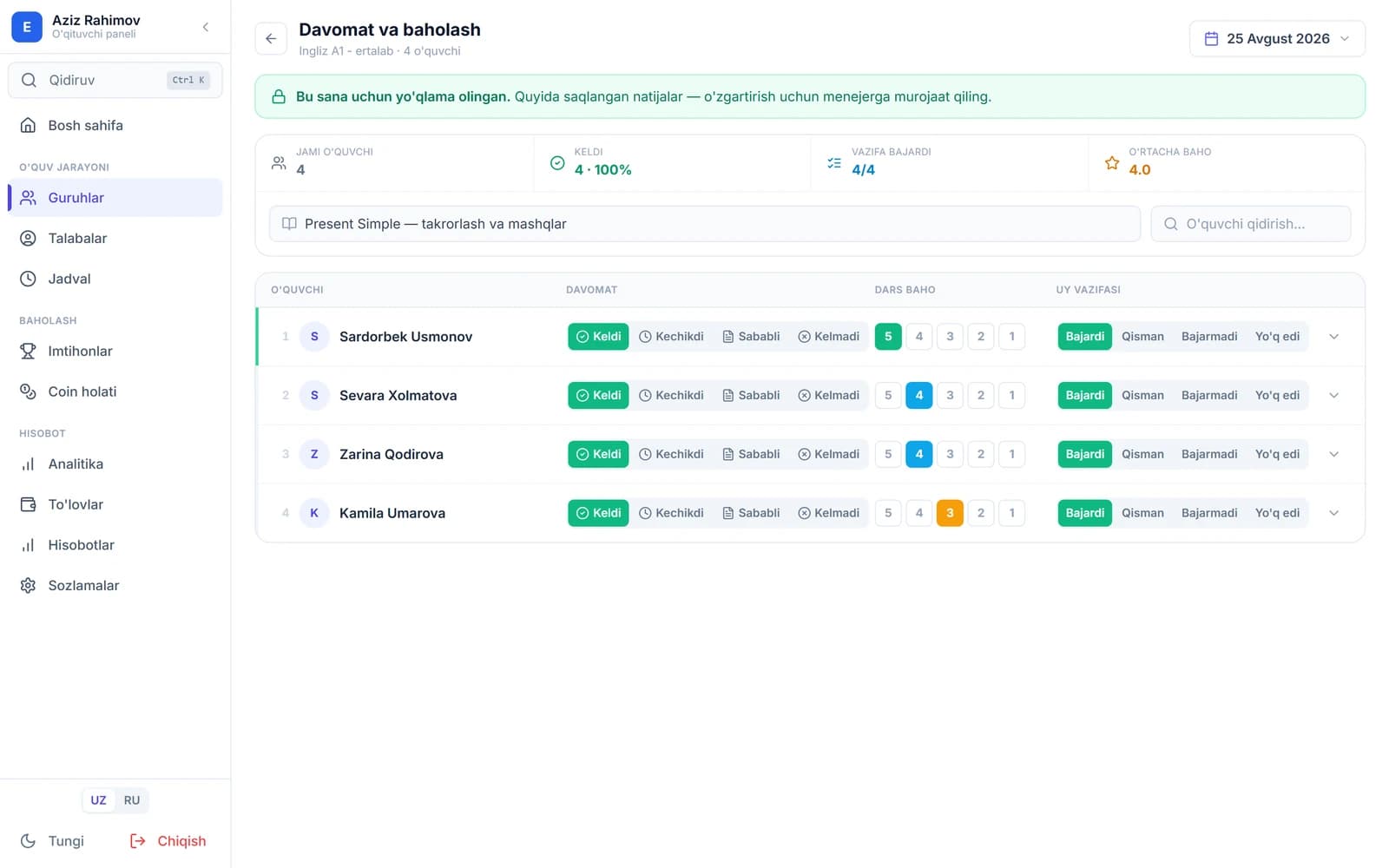
At the start of the lesson the teacher opens the group in the app or the browser and marks each student as present, late, excused or absent. On the same screen they give a lesson grade from 1 to 5, the homework status and an activity grade, all saved with one tap. The record lands in the manager's panel straight away, so there are never two different numbers in two places.
If attendance has not been taken 20 minutes after the lesson starts, both the manager and the teacher get an alert. Parents of a student who was late or absent without a reason receive an SMS (if that event is switched on), and the group's Telegram chat gets a report of who came. An excused absence can be covered with a make-up lesson. More: attendance tracking software and our attendance control guide.
Monthly fees and debts
When a student joins a group, and then every month, a debt entry for that month opens by itself (due on the 10th). The manager records the payment as cash, card or bank transfer — in full or in part, with a percentage or fixed discount. The debt goes down automatically, a receipt with the center's name is printed, and overpaying is blocked.
The debtor list shows who owes how much and for which group. As the due date gets close, the student receives an SMS reminder every day at 09:00, with wording you write yourself. More: student payment and debt tracking.
Teacher pay and advances
In language schools a teacher is often paid a share of their group's fees. In EduCRM each teacher gets a fixed salary, a percentage of group revenue or both; the percentage is taken from net revenue after refunds. An advance paid mid-month is deducted automatically when the salary is calculated. Teachers see the payments from their own groups, their salary and advances in their own panel, and never see anyone else's pay. More: teacher salary calculation.
New students: from enquiry to trial lesson
Enquiries from ads are handled in a separate marketing panel, on a six-stage kanban board: new, contacted, trial lesson, attended, enrolled, lost. You build the enquiry form without code, put its link in your Instagram bio or print its QR code on a flyer. When an enquiry moves to "enrolled", you pick a group and nothing has to be typed in again. You can see, as a percentage, how many real students each channel brought, and why lost enquiries were lost. More: marketing and leads.
On the student's and parent's phone
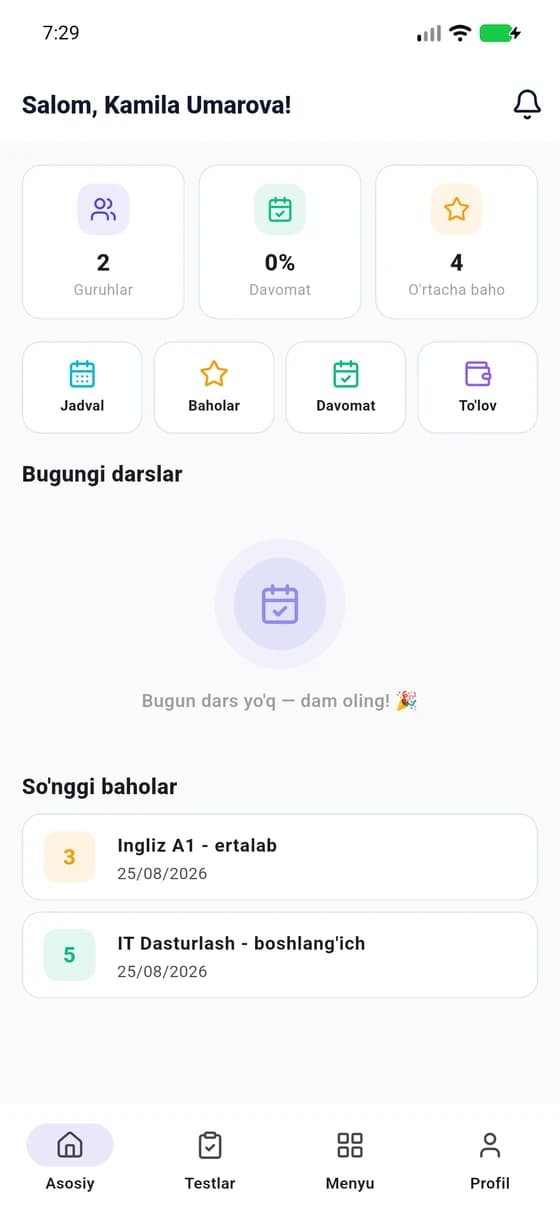
In the Android app a student sees the timetable, a monthly attendance calendar, grades, payment status and coin balance. Tests written by the teacher are taken in the app and marked automatically, which is handy for an end-of-level check. Parents log in to the app with a login from the manager; if they never install it, they still get SMS and messages in the group's Telegram chat. There is no iOS app yet, but the panels work in the iPhone browser.
How to get started
The free trial lasts 30 days with every feature open, and your data stays afterwards. During the trial our team helps for free with the Excel import, setting up groups and connecting SMS. After that, plans start at 200 000 UZS a month; every plan has the same features and differs only in size. What else to check before you choose: 7 practical criteria.
- Sign up at director.educrm.pro/register with your name and phone number — no card and no contract needed.
- Add your courses (for example, English or Russian) with price and length, then open groups by level.
- Upload your student list once using the Excel template; errors are shown row by row.
- Give your teachers accounts so they can start taking attendance in the app.
- Connect your smsxabar.uz account for SMS and your own Telegram bot for group chats.
Frequently asked questions
Can one school run English, Russian and Korean courses together?
Yes. The course catalog holds as many courses as you need, each with its own price and length. Groups, teachers and payments share one database, and the director sees everything in one panel.
What if a student attends two groups at once?
A student can be added to several groups, and debt opens separately for each one. In the app they see the timetable and grades of both groups.
Does it work for one-to-one lessons?
Yes. Create a group with a single student, and scheduling, attendance, payment and the teacher's share work as usual.
Can a teacher take attendance later?
Attendance can be taken after the lesson starts and within 48 hours, and how many minutes late it was taken stays on the record. If a saved record needs fixing, the manager does it.
Do I need a card for the trial, and what happens after it?
No card is needed. After 30 days you pick a plan and pay; if you do not, after a short grace period the account switches to read-only and your data is kept.