What takes the most time in a children's center
Drawing, chess, mental arithmetic, English for kids or school readiness — whatever the subject, the difference from adult courses is the same: every question goes through a parent. With a paper register and a personal phone, this is what usually happens:
- a parent calls to ask whether their child turned up, and the administrator hunts for the register;
- a child is often ill and misses lessons, and nobody remembers which ones need making up;
- one family has two or three children, and fees and discounts are worked out by hand;
- every month means dozens of calls to remind parents about payment;
- when a lesson is moved or shifted for a holiday, the message does not reach every parent.
Parents know straight away that their child is in class
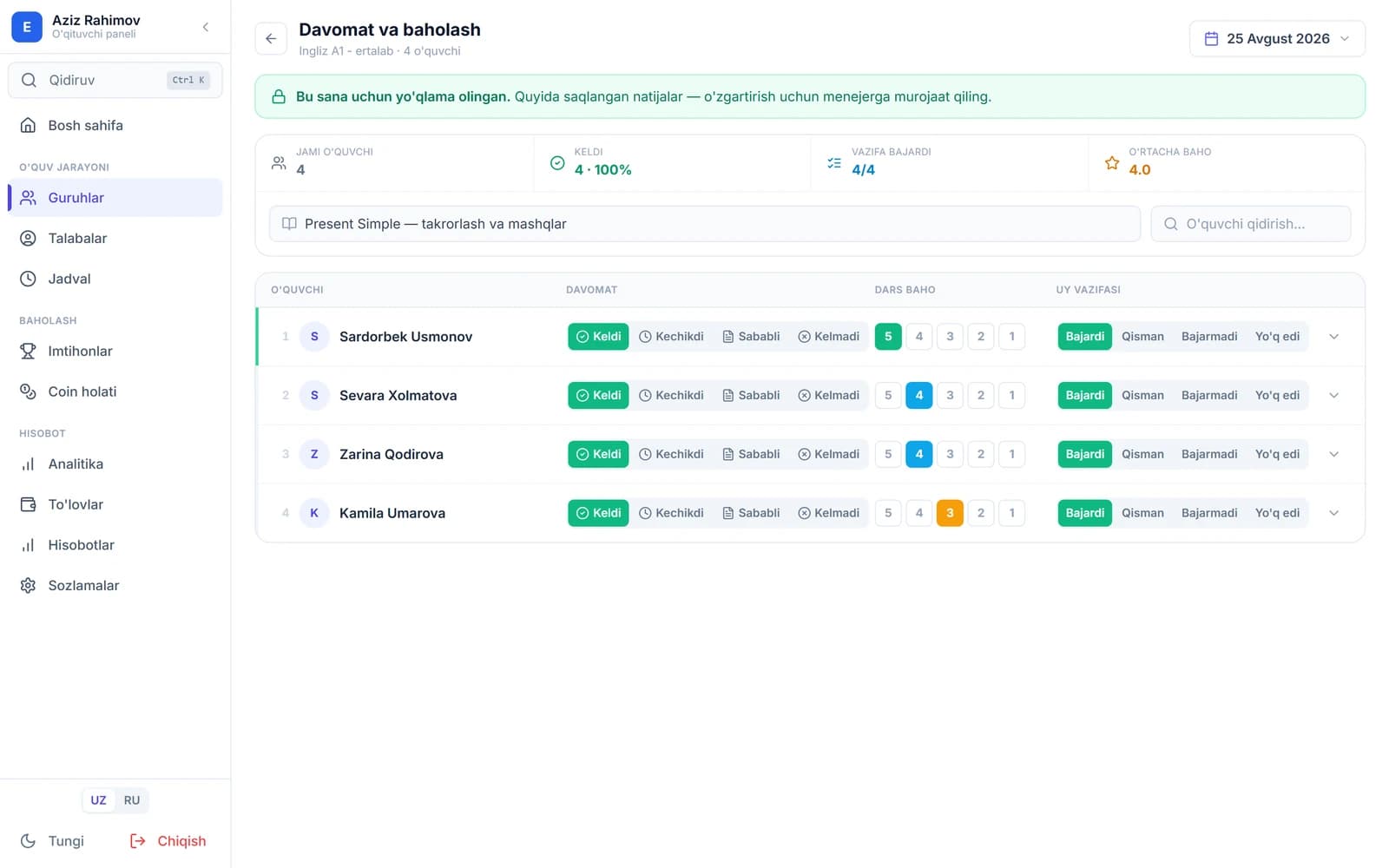
At the start of the lesson the teacher opens the group on their phone and marks each child as present, late, excused or absent. If SMS is switched on for unexcused absence or lateness, the parent gets a message. If you link the group to its Telegram chat, a report of who attended arrives there after the register is taken, and a reminder arrives 3 hours before each lesson.
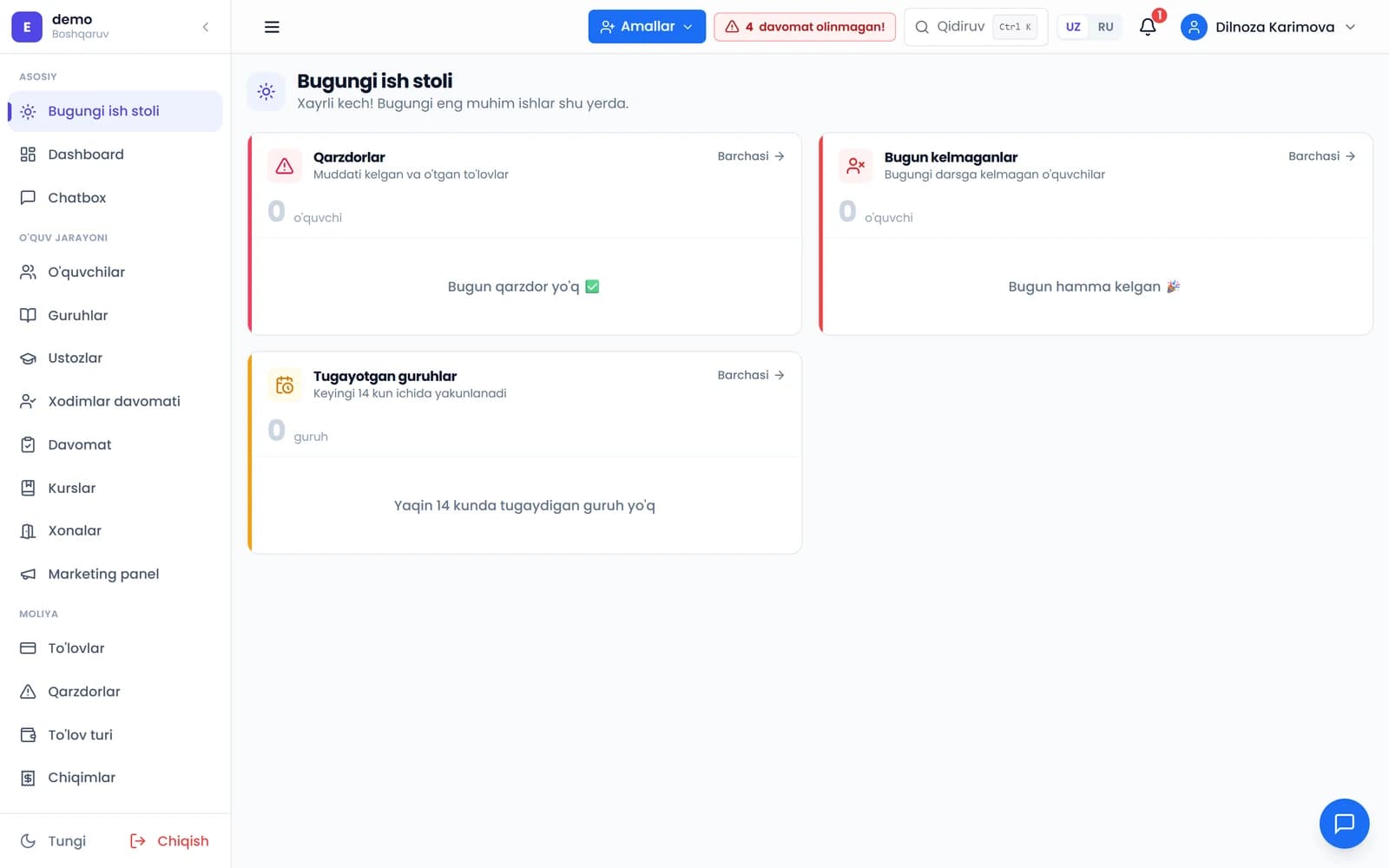
If attendance has not been taken 20 minutes into the lesson, the manager and the teacher get an alert, so "I forgot to mark it" never becomes a habit. The manager's daily desk lists today's absentees separately: select several and send one message, and the history shows who was messaged and when. More: attendance tracking software.
Illness, missed lessons and make-ups
Excused absences are normal in children's groups. In EduCRM "excused" is marked separately from "absent", and the reason is recorded. A make-up lesson for that absence is set with a date, reason and teacher, and the system tracks whether it took place, so there is no argument with the parent about which lesson is being made up.
Public holidays and days off are entered once, and lessons on those days move to the next working day automatically. If you move a lesson by hand, the timetable in the student app updates at once, and the manager can post an announcement to the group's Telegram chat immediately or schedule it for the next lesson. More: scheduling.
Several children in one family
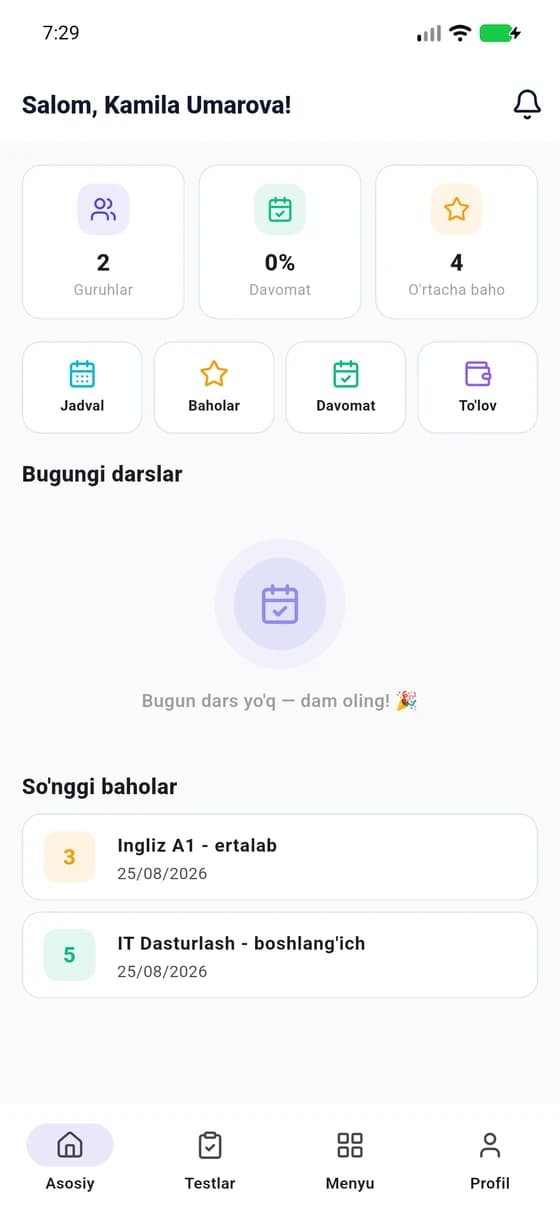
Parents log in to the Android app with a login from the manager and see every child linked to their phone number, along with each child's progress by subject. Each child is in their own group and debt is tracked per group, so two children's payments never get mixed up.
When taking a payment you can apply a percentage or fixed discount, for example for a sibling. The discount shows on the receipt and is taken off the debt ledger as well, so no phantom debt is left behind. You give the right to grant discounts only to the managers who need it, and the director sees in the report how much was discounted.
Fees and reminders without phone calls
When a child joins a group, and every month after, a debt entry opens by itself (due on the 10th). The manager records cash, card or bank transfer payments, a receipt with the center's name is printed, and a confirmation SMS goes out. As the due date approaches, a reminder SMS is sent every day at 09:00: you write the text, and the name, group and amount owed are filled in automatically.
If a child leaves the center, the system works out the price of one lesson and suggests a refund for lessons not taken, while any overpayment goes into the wallet and is used for the next payment. More: student payment and debt tracking.
Motivating children: coins and grades
In each lesson the teacher gives a lesson grade, homework status and activity grade on a five-point scale alongside attendance, and the average is calculated automatically. The coin system awards points for coming to class, doing homework and scoring well on a test, and the center decides how many coins each rule is worth. Saved coins can be exchanged for a discount or a gift, and gift requests are approved by the manager.
Children see their coin balance, grades and leaderboard position in the app. For kids it is a reward they understand; for parents it is a way to follow results every week. More: tests and rewards.
Small groups and rooms
Children's groups are usually small. Each group has a capacity, shown next to the number of students in the group list. Rooms are kept with their capacity, and you cannot put two groups in one room or with one teacher at the same time. Teachers only see the children in their own groups — the center's finances and other groups stay hidden from them.
How to get started
The trial lasts 30 days with every feature open, and your data stays afterwards. During the trial our team helps for free with the import and SMS setup. After that, plans start at 200 000 UZS a month: pricing. How to set up attendance properly: our attendance control guide.
- Sign up at director.educrm.pro/register — no card and no contract needed.
- Add your subjects (for example, chess, drawing, English) with price and length, then open groups.
- Upload the list of children once using the Excel template; errors are shown row by row and duplicate phone numbers are checked.
- Connect your smsxabar.uz account and switch on the events that should trigger SMS.
- Connect your Telegram bot and send parents the link to their group chat.
Frequently asked questions
How do parents get messages if they don't install the app?
Through SMS and the group's Telegram chat: SMS covers attendance and payments, and the chat gets lesson reminders and the attendance report. Installing the app is optional.
If a parent has two children, can they see both in the app?
Yes. The parent logs in with the login from the manager and sees every child linked to their phone number.
Can we write our own SMS text in Uzbek or Russian?
Yes. You write the text for each event and insert variables such as name, group, teacher, amount owed and date; they are replaced with real values when the message is sent.
How much do SMS messages cost?
SMS is not part of the plan: the center connects its own smsxabar.uz account and pays the provider directly at its rates. We add nothing on top.
What about parents with iPhones?
There is no iOS app yet. Parents with iPhones get SMS and messages in the group's Telegram chat, and the director and manager panels work fully in the iPhone browser.