What makes a prep center different
Entrance exam prep centers and tutoring studios run on a seasonal year: students arrive in the autumn and groups wrap up before the exams. One student goes to separate maths, native language and history groups, while others study one to one. When it is all tracked by hand, the same things go wrong:
- fees and debts for different subjects get mixed up;
- practice tests are marked on paper and results are copied into Excel by hand;
- falling results are noticed when the exam is only weeks away;
- parents only learn how their child is doing if they call;
- at the end of the season nobody is sure which group ends when and who is moving on.
Subject groups and one-to-one lessons
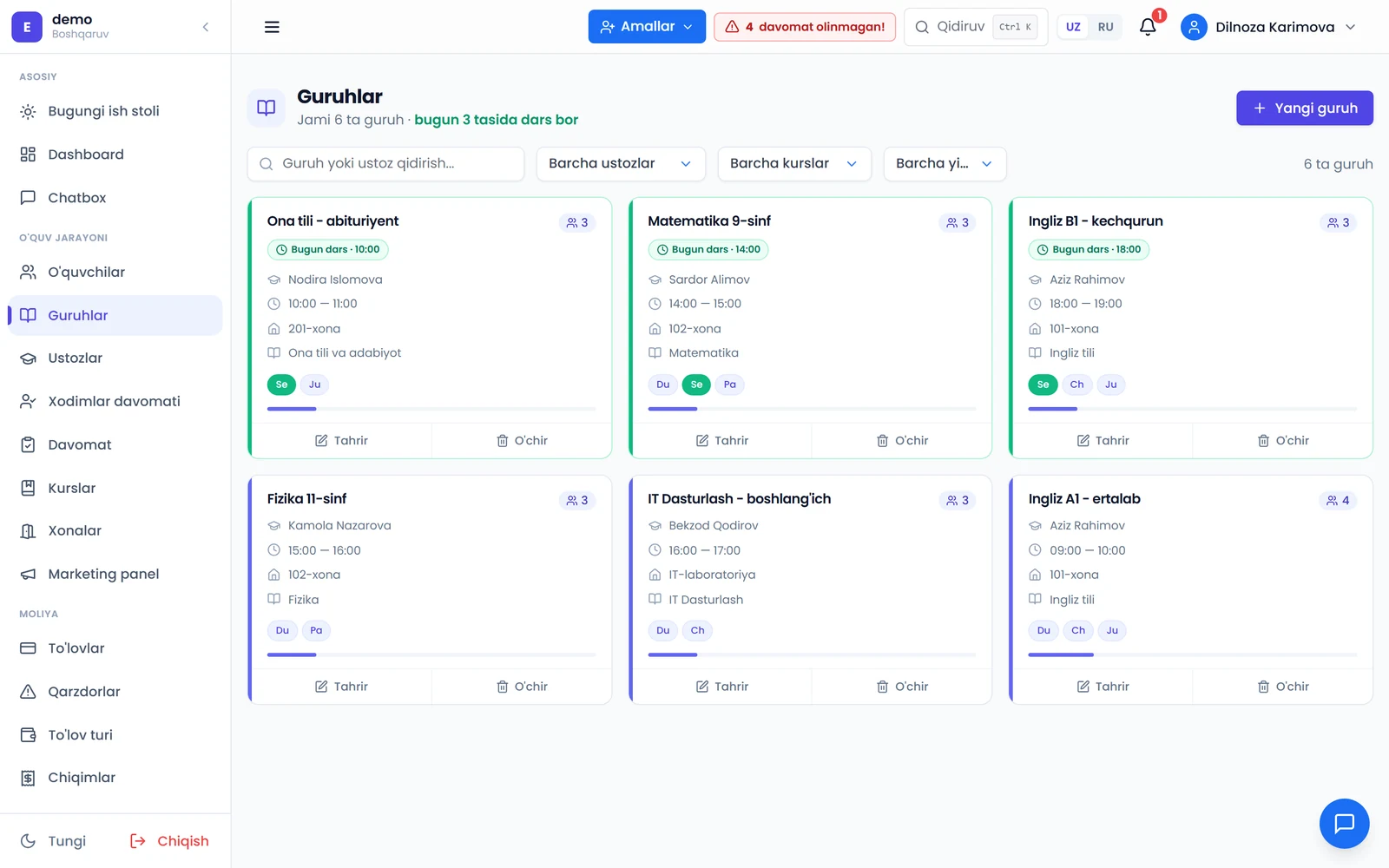
In the course catalog you create a course for each subject with its price and length. A student can join several groups, and debt opens separately for each, so a maths payment never clears a native-language debt. For one-to-one tutoring you create a group with a single student, and scheduling, attendance, payment and the teacher's share work as usual.
When a group is saved, the system lays out all the course lessons with dates and lesson numbers and refuses to save if the room or teacher is busy. After-school hours are crowded, so this check is especially useful. More: scheduling.
Tests: writing, taking and automatic marking
A teacher can create a test at any time, from a computer or a phone: questions and options with images, points per question, a time limit, a pass mark and an access type (open, secret code or login and password). The teacher writes the questions, so each test matches your own syllabus.
Students take the test in the app; the system checks the answers, shows the percentage and score, and marks pass or fail against the pass mark. For an end-of-unit check you open an exam tied to a specific lesson and add several tests to it. Teachers see everyone's scores, and the student app shows an overall leaderboard — a bit of competition is good motivation for exam candidates. More: tests and rewards.
See progress before the exam
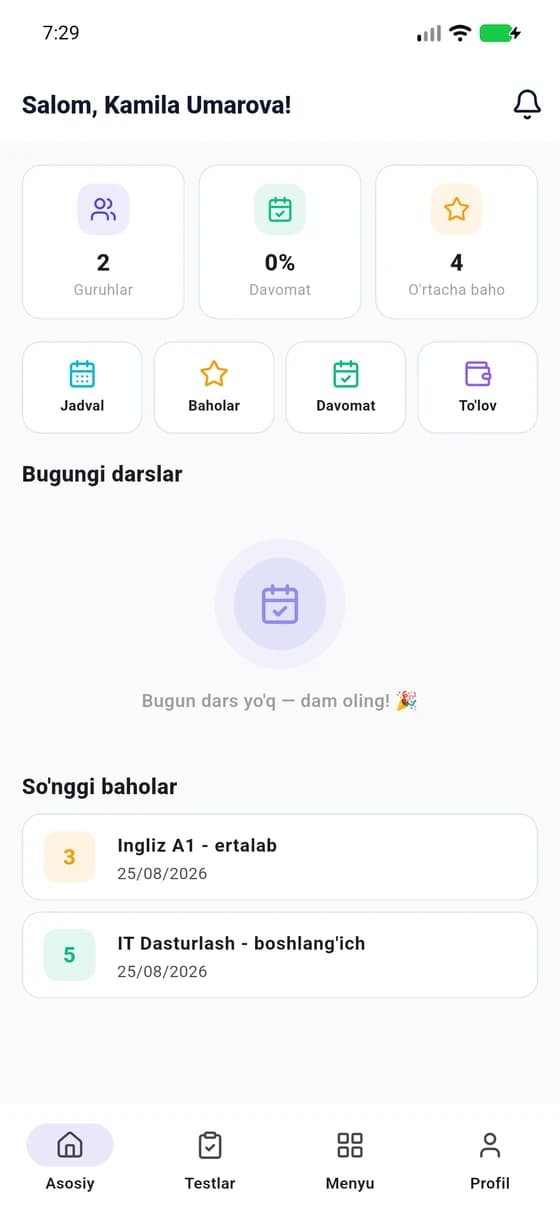
In each lesson the teacher records a lesson grade, homework status and activity grade along with attendance. For every student the system calculates a total score, their place in the group and their level; groups are compared by average score, and a six-month trend is shown. A student whose results are slipping becomes visible months before the exam, giving the teacher or manager time to talk to the parents.
Parents log in to the mobile app with a login from the manager and see their child's progress by subject. Without the app they still get SMS about unexcused absences and payments, and lesson reminders and attendance reports in the group's Telegram chat.
Attendance: missed lessons under control
On a prep course every missed lesson affects the result. The teacher marks attendance from a phone at the start of the lesson — present, late, excused, absent — and the record reaches the manager immediately. If attendance has not been taken 20 minutes in, an alert goes out. Each student's card lists their unexcused absences with dates. More: attendance tracking software.
The seasonal cycle: courses starting and ending
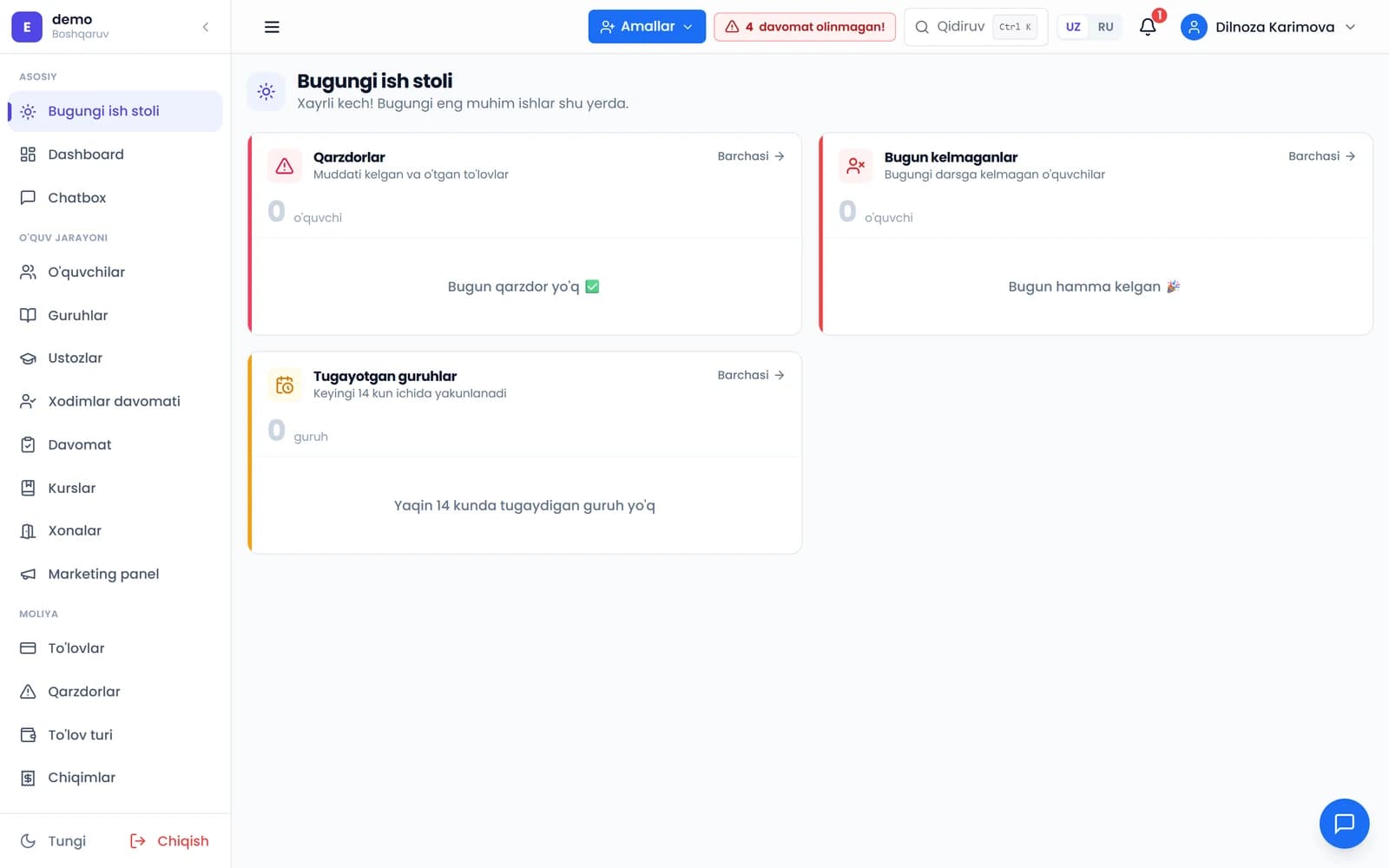
When the planned lessons run out, a group closes itself and can be restored with its schedule if needed. The manager's daily desk lists groups ending in the next 14 days, debtors and today's absentees. Branch analytics show students joining and leaving month by month, so you can see how the season went in numbers.
Before a new season, enquiries are handled in the marketing panel: a six-stage kanban board (new, contacted, trial lesson, attended, enrolled, lost), an enquiry form built without code, and a QR code. When an enquiry becomes a student you pick a group and nothing is typed in twice. More: marketing and leads.
Fees, debts and teachers' share
Every month a debt entry opens by itself for each group (due on the 10th), payments are recorded as cash, card or transfer, and with a partial payment the rest stays as debt. As the due date approaches, an SMS reminder goes out every day at 09:00. If a student quits, the system works out the refund for lessons not taken. More: student payment and debt tracking.
In prep centers teachers are often paid a percentage of group revenue. EduCRM supports fixed, percentage or mixed pay, and advances are deducted from the salary automatically. More: teacher salary calculation.
How to get started
The trial lasts 30 days with every feature open, and your data is kept afterwards. Starting mid-season is fine: you enter each student's current debt or overpayment and the next due date is calculated from there. Plans start at 200 000 UZS a month: pricing. Before you choose: criteria for choosing an education center CRM.
- Sign up at director.educrm.pro/register — no card required.
- Create a course for each subject and open groups with a teacher, room and days.
- Upload students with the Excel template and add them to their subject groups.
- Teachers write the first practice test and send it to students in the app.
- Enter current debts on each student's card so earlier accounts are not lost.
Frequently asked questions
Does the system come with a bank of entrance exam questions?
Teachers write the tests themselves: questions and options (images included), points per question, a time limit and a pass mark. The system runs them in the student app and marks them automatically.
How are fees handled if a student takes three subjects with three teachers?
The student is added to three groups and debt opens separately for each. The debtor list shows who owes how much and for which group, so it is clear at once which subject is still unpaid.
Does it work for one-to-one tutoring?
Yes. Create a group with a single student, and scheduling, attendance, payment and the teacher's share work as usual.
Can parents see test results?
Parents log in to the Android app with a login from the manager and see their child's progress by subject. They also get SMS about attendance and payments.
Can we switch to the system mid-season?
Yes. Each student's current debt or overpayment goes on their card and the next due date is calculated from there. Entering past months' history is optional.