Problems specific to IT academies
For IT courses most of the budget goes on advertising, and students pay for a long course in installments. That makes mistakes expensive: a lost enquiry is wasted ad spend, and a student who quits halfway means a refund and a recalculation with the mentor. The same issues tend to repeat:
- enquiries sit in Telegram and notebooks, and nobody knows who has been called or who came to the trial lesson;
- nobody counts which ad channel brings real students;
- two groups get booked into one computer lab at the same time;
- the mentor's percentage is worked out by hand, and their share is forgotten when a student leaves;
- the risk of a student dropping out only shows at month end, when the payment does not arrive.
From enquiry to trial lesson to group
EduCRM has a separate marketing panel with its own site and login. Each enquiry is a card that moves through six stages: new, contacted, trial lesson, attended, enrolled, lost. You add a comment, an owner and the next contact time to the card, so nobody who needs a call-back is forgotten.
You build the enquiry form without code: ready design templates, logo, fields and a course list. Each form has its own link and QR code for Instagram, your website or an open-day flyer, and new enquiries appear on the board immediately. When an enquiry moves to "enrolled", you choose a group and the system creates the student record itself.
You see, as a percentage, how many enquiries and how many real students each channel produced, plus conversion and first-response speed per staff member. When an enquiry is lost, a reason is chosen — price, no answer, wrong time, another center — and the most common one shows in the statistics. More: marketing and leads.
Long-course schedules and computer labs
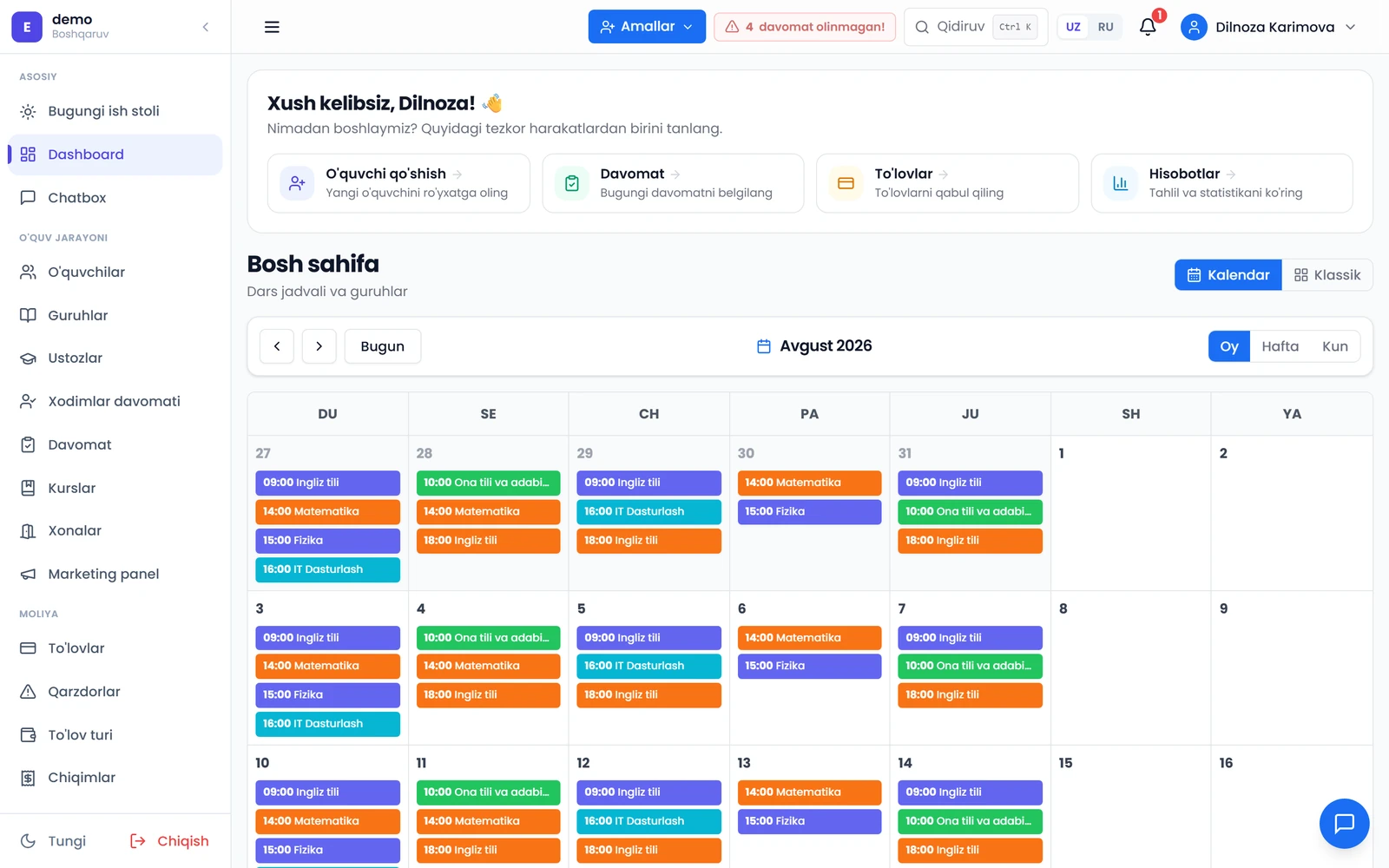
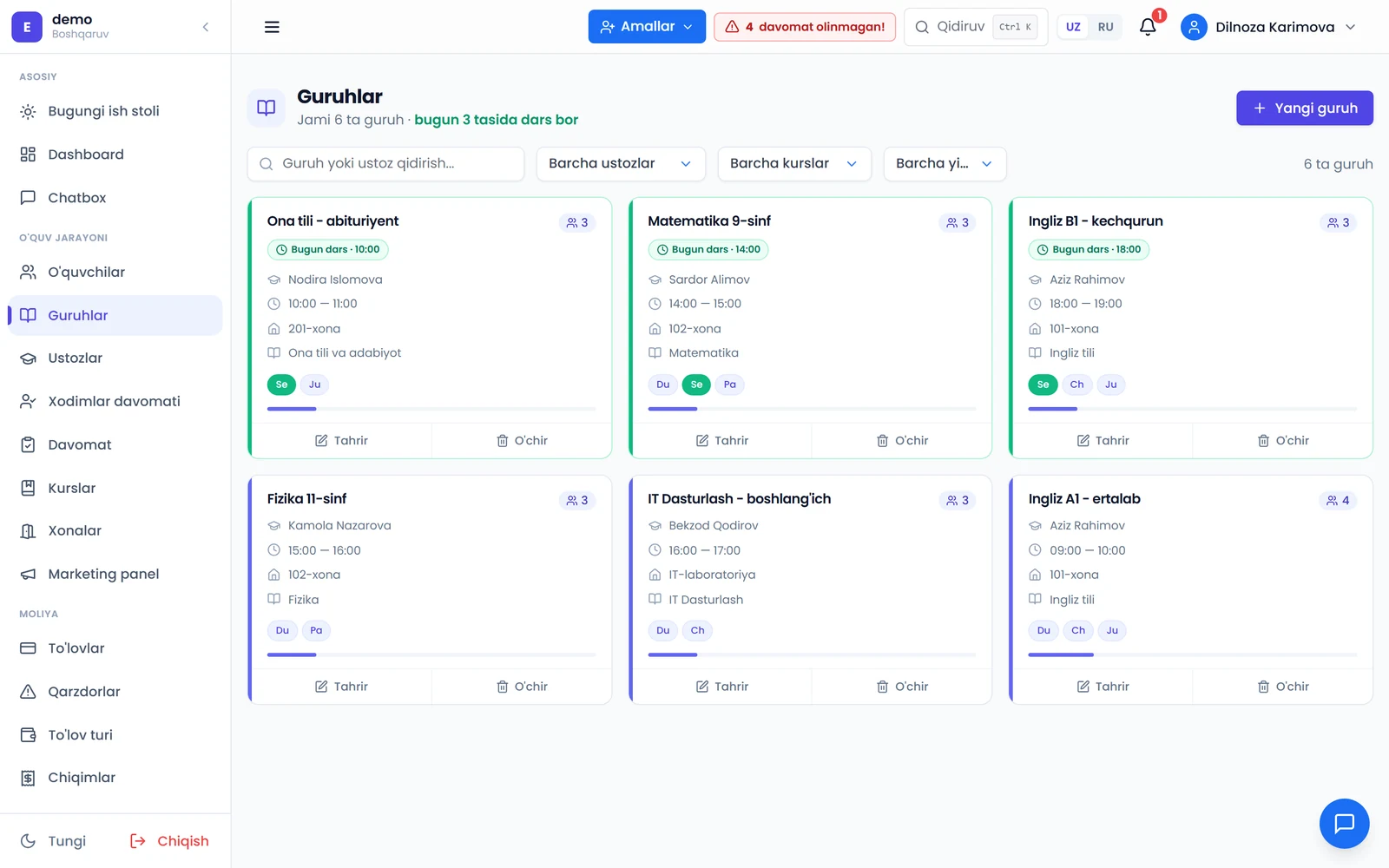
Each course in the catalog has a price and a length. When a group is saved, the system lays out every lesson of the course on the chosen weekdays, with dates and lesson numbers. Rooms are kept with their capacity: if a computer lab or a teacher is busy, the system shows the clashing group and will not save. You can mark maintenance days, and lessons on public holidays move to the next working day.
You can move a lesson, delete one that has not started yet, or add an extra lesson, either free or paid. While moving a lesson you see free rooms and the mentor's other lessons that day on the same screen. More: scheduling.
Tests, homework and progress
A mentor can create a test at any time: questions and answer options with images (for example, a screenshot of a code snippet), points per question, a time limit and a pass mark. Students take it in the app, the system marks it and records pass or fail. For an end-of-module check you open an exam tied to a specific lesson and add several tests to it. Tests can also be created straight from a phone.
Each lesson records homework status and a homework grade alongside attendance. For every student the system calculates a total score, their place in the group and a six-month trend, so a student whose results are slipping is visible mid-course rather than after they leave. The coin system awards points for homework and good test results, which can be swapped for a discount or a gift that the center defines. More: tests and rewards.
Course fees in installments
Long courses are usually paid month by month. When a student joins a group, and every month after, a debt entry opens by itself (due on the 10th). The manager records cash, card or transfer payments; with a partial payment the rest stays as debt, and any discount appears as its own line on the receipt. As the due date approaches, the student gets an SMS reminder every day at 09:00.
If a student quits, the system works out the price of one lesson and suggests a refund for the lessons not taken; a second refund for the same lessons is blocked. More: student payment and debt tracking.
Mentor pay
Mentors on IT courses are often paid a percentage of group revenue, or a fixed amount plus a percentage. In EduCRM you set fixed, percentage or mixed pay for each mentor, and the percentage is taken from net revenue after refunds. When a student is refunded, the share the mentor already received can be deducted from their account. Advances are subtracted automatically when the salary is calculated, and mentors can see the payments from their groups and their own balance. More: teacher salary calculation.
What the director sees
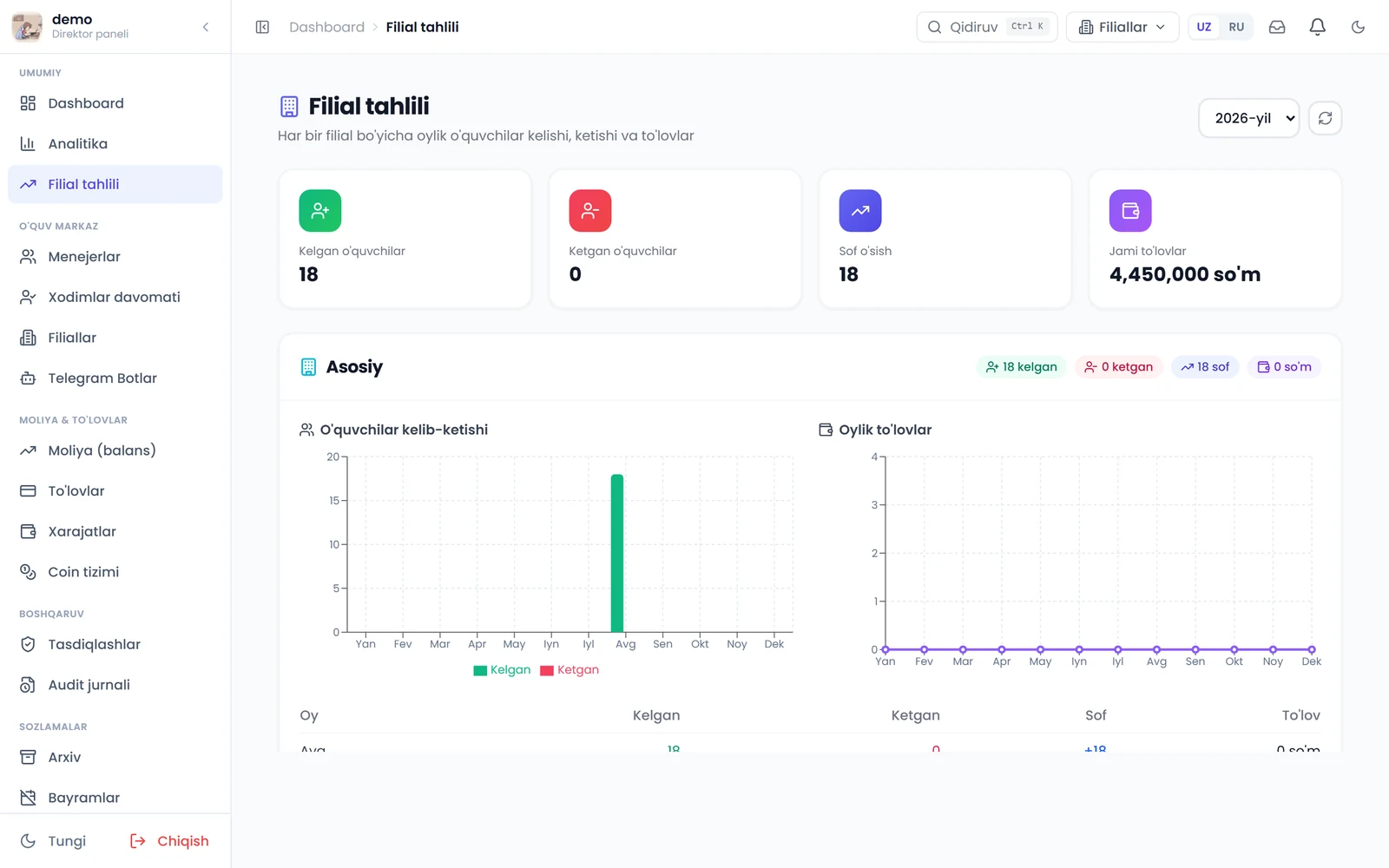
The monthly financial report puts revenue, the expense breakdown, net profit and the center's balance on one page. Branch analytics show how many students joined and left in each of the last 12 months and how much was paid, so a month with high drop-out stands out immediately. The break-even chart in the manager panel shows whether revenue covers costs before you open a new course line. More: finance and reports.
How to get started
The trial lasts 30 days with every feature open, including the marketing panel and the Telegram bot. Plans start at 200 000 UZS a month and differ only in size: pricing. How a general CRM differs from an education CRM: what is the best CRM for Uzbekistan?
- Sign up at director.educrm.pro/register — no card required.
- Add courses with price and length, and rooms with their capacity.
- Open your current groups and upload the student list with the Excel template.
- Give mentors accounts and set a pay scheme for each one.
- Create an enquiry form in the marketing panel and put its link in your ads.
Frequently asked questions
Do enquiries from Instagram or our website arrive automatically?
Anything submitted through a form built in the form builder lands on the kanban board at once — you put the form link in your Instagram bio or on your website. There is no integration yet that pulls messages from Instagram or WhatsApp; those enquiries are entered by hand.
How do I track people booked for a trial lesson?
"Trial lesson" and "attended" are separate stages on the board. Each card has a next contact time and an owner, and the enquiry becomes a student in one click.
How is a student on two courses handled?
The student is added to both groups, debt opens separately for each group, and the app shows both timetables and all grades.
Does a mentor's pay change if a student is refunded?
The percentage is calculated from net revenue after refunds. If the mentor has already received their share, it can be deducted from their account at the time of the refund.
Can mentors see their own groups and pay?
Yes. In their panel and in the app, mentors see their groups, timetable, attendance and grade journal, tests, and the payments from their own groups, their salary and advances. Other mentors' pay and the center's overall finances stay hidden from them.