Why attendance records stop being trusted
Many centers keep attendance in a paper register or in Excel. The problem is not the register but who fills it in and when. If marks are entered in the evening or at the end of the week instead of during the lesson, they become a reconstruction from memory. As a result:
- parents hear about a missed lesson days later;
- nobody can see which teacher keeps forgetting to mark;
- a student skipping lessons in a row goes unnoticed until they leave;
- at month end someone counts percentages by hand and gets them wrong.
How attendance is taken
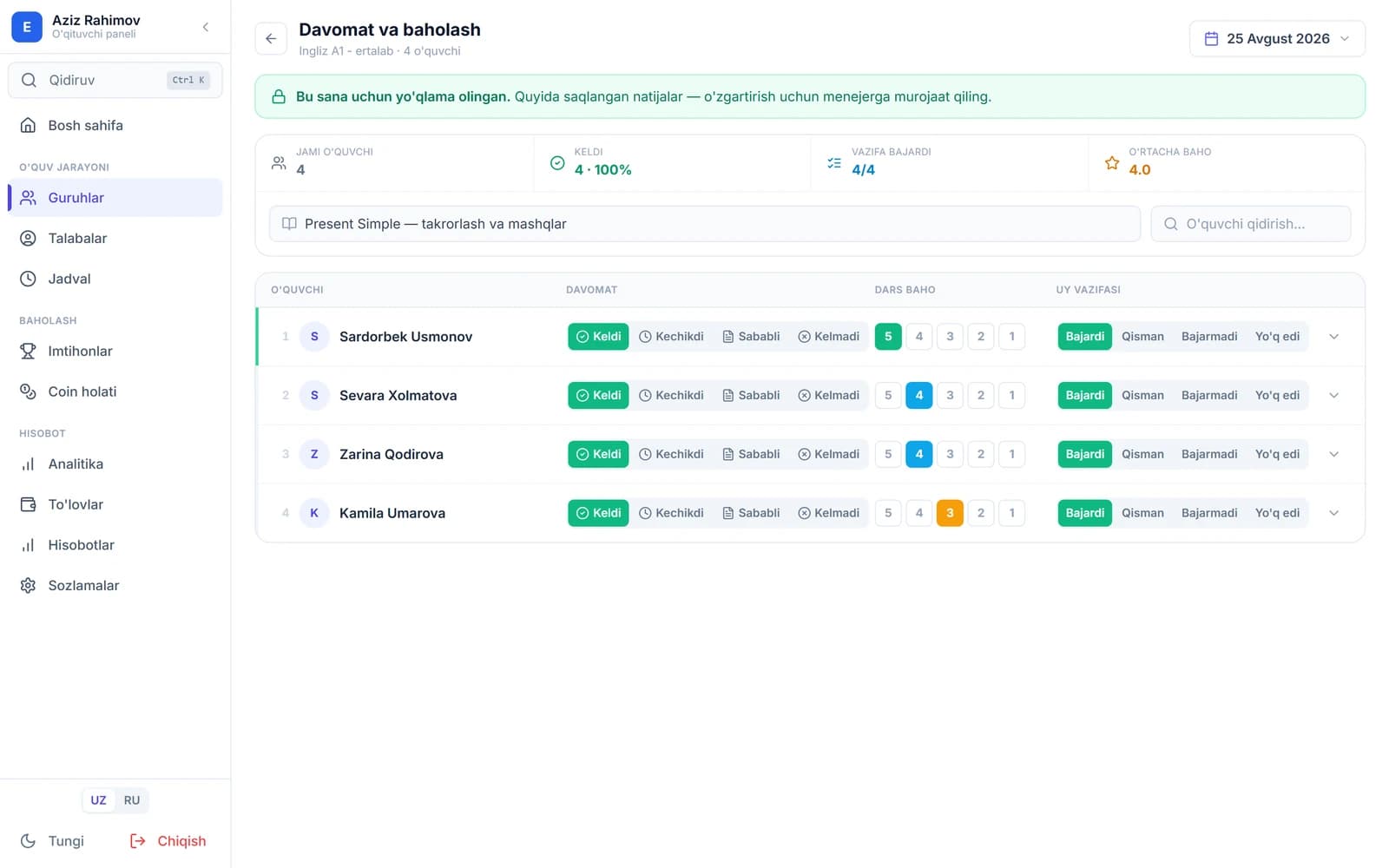
At the start of the lesson the teacher opens the group list in the app or the browser and gives each student one of four statuses: present, late, excused or absent. For lateness the minutes are recorded, and for an excused absence the reason. The attendance rate for the lesson is calculated automatically.
On the same screen the teacher gives a lesson grade from 1 to 5, a homework status — done, partly done, not done — and an activity grade. Everything is saved with one tap and appears in the manager's panel immediately, so the two never disagree. In the app, the phone sounds a signal when the lesson starts and repeats it every 10 minutes until attendance is taken.
Forgotten and late marks
Attendance can only be taken after the lesson starts and within 48 hours, and how many minutes after the end of the lesson it was taken stays on the record. If there are no marks 20 minutes into the lesson, the manager and teacher get an alert in the panel, and the top of the manager panel always shows how many lessons still have no register.
Teachers cannot change attendance once it is saved — corrections go through the manager. The manager can create, edit or delete an attendance record for any group and view a group's month as a calendar. That is what makes the numbers trustworthy.
Parents find out straight away
EduCRM sends automatic SMS for nine events, and three of them are about attendance: excused absence, unexcused absence and lateness. Each event is switched on separately and you write the text yourself; the name, group, teacher and date are filled in when it is sent. Messages go out from the center's own smsxabar.uz account.
If you link a group to its Telegram chat, a report of who came, who was absent and who was late arrives there after the register is taken. The manager can see how many students in a group or selection have the app installed and send SMS only to those without it, which cuts costs. More: SMS and Telegram.
Following up on today's absentees
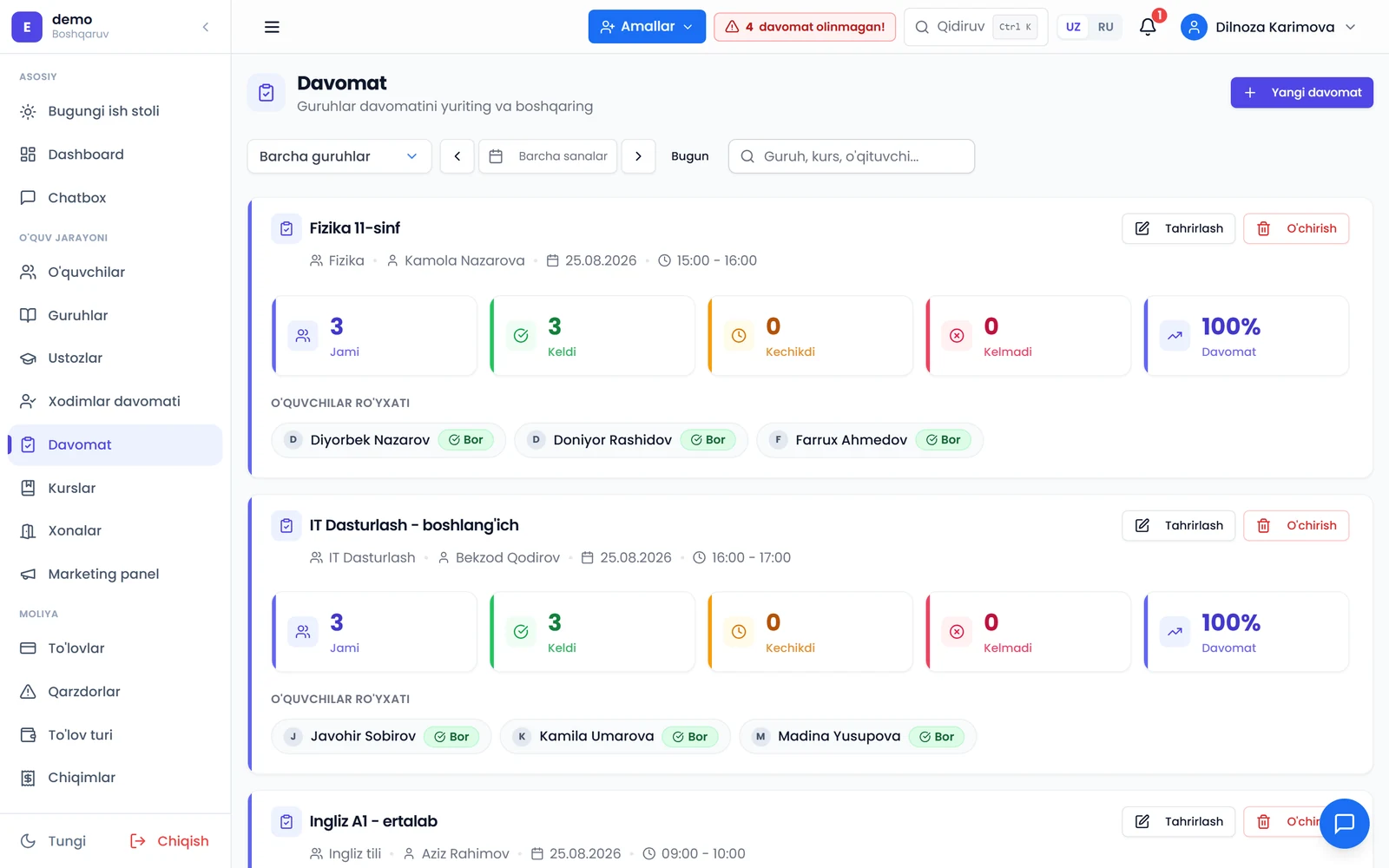
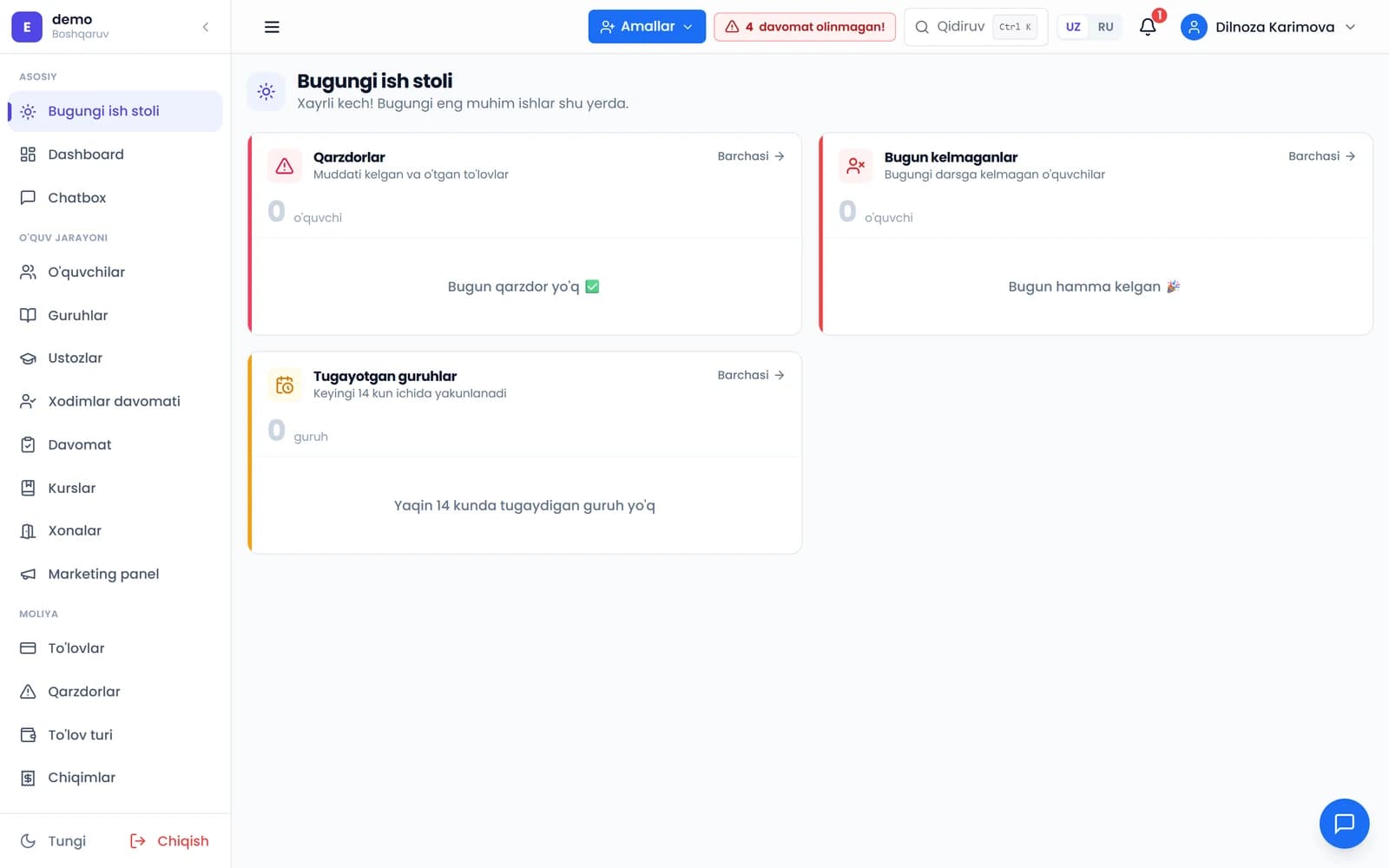
The manager's daily desk lists today's absentees, debtors and groups about to finish. On the absentee page, excused and unexcused absences are kept apart: select several students, send one message, and the history records who received it and when.
An excused absence can be covered with a make-up lesson that has a date, reason and teacher, and the system tracks whether it took place. Each student's card lists their unexcused absences with dates, so a student who has started skipping in a row shows up before they leave.
Attendance reports
The daily attendance report shows, across all groups for one day, how many students came, were absent or were late, plus the overall rate. On the attendance page every group card shows total, present, late, absent and the percentage. In the teacher panel each student gets a total score, a place in the group and a six-month trend.
Students see their monthly attendance calendar in the app, and parents who log in with the login from the manager can follow their child's progress. More: attendance and grading.
Rewarding good attendance
With the coin system you can award points for coming to class, and the center decides how many coins each rule is worth. Coins can be swapped for a discount or a gift, and students see their balance in the app. It works as a reward children and teenagers understand. More for children's centers: CRM for children's centers.
How to get started
The trial lasts 30 days with every feature open. Five minutes is enough to show a teacher how to mark attendance in the app. Plans start at 200 000 UZS a month and every plan has the same features: pricing. How to set up the routine: student attendance control.
- Sign up at director.educrm.pro/register — no card required.
- Open your groups; the timetable is built from the course length and lesson days.
- Give teachers accounts and ask them to install the app from Google Play.
- Connect your smsxabar.uz account and write the SMS texts for attendance events.
- In the first month, aim to mark every lesson rather than to raise the rate.
Frequently asked questions
What happens if a teacher forgets to take attendance?
Twenty minutes into the lesson the manager and teacher get an alert, and the app repeats its signal every 10 minutes from the start of the lesson. Attendance must be taken within 48 hours, and a late register stays on the record.
Can saved attendance be corrected?
Teachers do not change saved marks themselves; they ask the manager, who can edit attendance for any group.
When do parents get an SMS?
For excused absence, unexcused absence and lateness — each event is switched on separately. You write the text, and the SMS is sent from your center's smsxabar.uz account.
Can attendance be taken on a slow connection?
Yes, it does not need much speed — the mobile internet on the teacher's phone is enough. Data is stored on the server, so nothing is lost if the connection drops.
Can a manager take attendance too?
Yes. The manager can create, edit or delete an attendance record for any group and see monthly attendance as a calendar.